One of the first questions new creators ask is whether they can sell feet pics without friends, family, or an employer ever finding out. The short answer is yes — as long as you set things up properly before you post your first photo.
Staying anonymous isn't about one clever trick. It comes from a handful of small habits that, together, keep your creator profile completely separate from your real life. Work through the ten steps below in order and you'll have a setup you can trust.
Why Anonymity Matters When You Sell Feet Pics
Photos you sell online can be saved, shared, and searched. Buyers are strangers, and a small number of them will try to learn more about you than they should. A privacy-first setup protects you in three ways:
Your identity — your real name, face, and personal social accounts stay out of reach.
Your location — nothing in a photo or a file reveals where you live or work.
Your money — buyers never see your bank details or personal payment accounts.
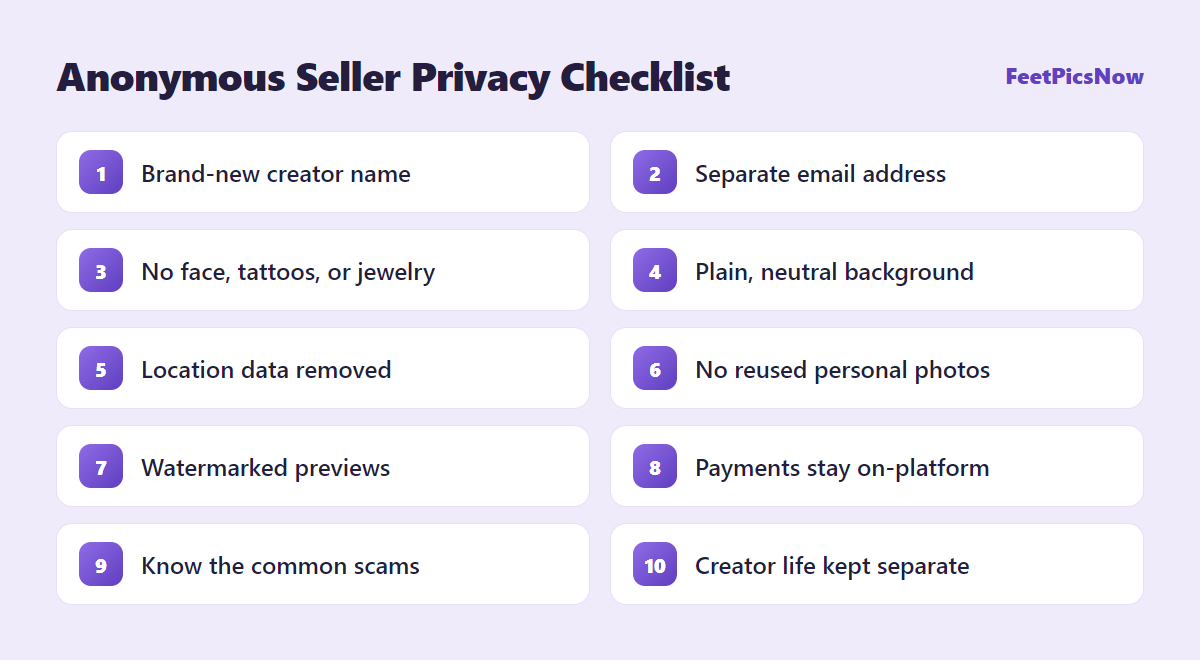
The 10-Step Privacy Checklist
1. Choose a Creator Name You've Never Used Before
Pick a name with no link to your real name, nickname, birthday, or hometown, and that you have never used as a username anywhere else. Old usernames are one of the easiest ways for someone to connect two accounts.
2. Create a Separate Email Address
Open a new email account just for your creator work and use it for every sign-up. Don't put your real name in the address or the display name, and don't use it for anything personal.
3. Keep Your Face and Identifying Marks Out of Frame
Buyers are paying for feet content, so your face never needs to appear. Before you shoot, also check for anything else that could identify you:
Tattoos, scars, and birthmarks on your feet, ankles, or legs
Distinctive jewelry such as anklets or toe rings you wear every day
Reflections in mirrors, windows, glossy floors, and screens
If a mark can't be hidden with an angle or a sock, edit it out or cover it — every time, not just most of the time.
4. Use a Neutral Background
Rooms are more recognizable than people think. Shoot against a plain sheet, rug, or floor, and keep mail, photos, pets, distinctive furniture, and the view from your window out of the picture.
5. Remove Location Data From Your Photos
Phones can save hidden information inside every picture, including the GPS coordinates of where it was taken. This is called EXIF metadata. Protect yourself in two ways:
Turn off location access for your camera app in your phone's privacy settings.
Before uploading, share the photo with its location removed, or upload a screenshot of it instead — a screenshot doesn't carry the original photo's location data.
Some platforms strip metadata automatically when you upload, but it is safer not to rely on that.
6. Never Reuse Photos From Your Personal Accounts
Reverse image search tools can match a picture to other places it appears online. Any photo that has ever been on your personal Instagram, Facebook, or other profiles should stay off your creator page — and the other way around.
7. Watermark Your Previews
Add your creator name as a small watermark on preview images. It discourages people from stealing or reselling your content, and makes it easier to show a photo is yours if you ever need it taken down.
8. Keep Buyers and Payments on the Platform
This is the step that protects both your identity and your income. Personal payment apps often show your real name to the person paying you, and off-platform deals leave you with little protection if a buyer disputes the payment.
A dedicated marketplace such as InstaFeet handles payments for you, so buyers pay the platform instead of paying you directly. Check each platform's current terms, fees, and verification requirements before you sign up.
If a buyer pushes you to move the conversation or the payment somewhere else, treat it as a warning sign — however friendly they seem.
9. Learn the Common Scams
New sellers are a favorite target. Stop replying and report the account if anyone:
asks you to pay a "verification" or "unlock" fee before they can pay you;
sends more than the agreed price and asks you to refund the difference;
offers to pay in gift cards, or asks you to buy one;
sends a link and asks you to log in to "confirm" your account;
asks for your ID, address, phone number, or personal social media.
A genuine buyer never needs any of these things.
10. Separate Your Creator Life on Your Phone
Finally, reduce the chance of a simple slip-up. Keep creator photos in a locked or hidden album, turn off message previews on your lock screen, and switch off contact syncing in any app you use for promotion so it can't suggest your profile to people you know.
What About Showing ID to the Platform?
Reputable platforms need to confirm that sellers are adults, which usually means verifying your age with an ID when you sign up. That can feel like the opposite of anonymity, but it isn't: your ID is checked by the platform, not shown to buyers. A site that asks no questions about your age is a much bigger risk than one that does.
You must be 18 or older — or the age of majority where you live — to sell this kind of content.
Quick Recap
Staying anonymous comes down to keeping two worlds apart. Use a new name and email, keep your face and surroundings out of every shot, strip location data, never reuse personal photos, and keep every buyer and every payment on the platform.
Once those habits are in place you can focus on the fun part — taking great photos and growing your sales. Our step-by-step guide walks you through creating your profile and making your first sale, and the FAQ covers the questions beginners ask most.
Still have a question about staying private? Contact us.
Ready to Start Selling Feet Pics?
Set up your anonymous creator profile on a trusted platform and put this guide into practice today.
Create My Free Account →This article is for general information only and may contain affiliate links. If you sign up through them, FeetPicsNow may earn a commission at no extra cost to you. Read our affiliate disclaimer.